Windows 7 - Error Free???
by charleswsheets - 2/19/10 7:22 PM
In Reply to: Help me keep my Windows 7 machine running lean, clean, and mean by Lee Koo (ADMIN)
Hi Luis,
I've been in this game for nearly 29 years now, and I must say that this time I think Microsoft actually GOT IT RIGHT!!! Since the release for Windows 7 in October our computer shop hasn't had one single issue with a Windows 7 computer that was related to the operating system. That's good news.
To answer your question about how to keep your system running lean, clean, and mean is essentially going to be similar to Windows XP, with some exceptions.
With only 4 months out of the gate, there's very little track record to draw from regarding Windows 7 errors and what may cause them. But of course the things that applied with XP mostly hold true. Here are a few guidelines to follow:
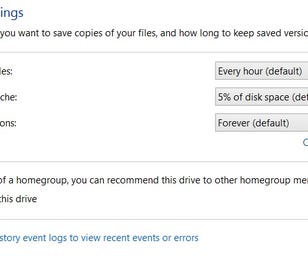
1. You should always keep a back-up of your important information. See last week's article about this issue for some important points regarding this issue.
2. In today's computing environment it's a must to have a reliable anti-virus and anti-malware program in play at all times. These programs should update daily, and automatically.
3. When you install new programs, make certain that they're not installed to run every time your start your computer. If they do, you can still use MSCONFIG to turn them off. Of course, you still want your anti-virus and spyware/malware programs to start up and stay up.
3. I always recommend that users upgrade their RAM to as much as the System will recognize. This will maximize the computer's performance and speed.
4. Initially in Vista, and now in a much more efficient manner in Windows 7, the need for manual hard disk defragmentation has been eliminated. You can still schedule how often Windows 7 will perform this operation, but because of significant differences in the manner that Windows 7 uses between and during auto-defrag, the need for frequent defragmentation has been minimized. And with Solid State Drives, Windows 7 automatically detects them and does no defrag at all as this is harmful to and reduces the life of a SSD.
5. To the extent possible, minimize the number of utilities used for "Registry Clean-Up", "Disk Clean-Up", Turbo Optimization and other programs of this type. If you are experiencing a problem, that is the time to address which utility to use. There are a number of software vendors out there who take an "All in One" approach to maintaining your computer health and efficiency. If you feel like you need one, I personally like System Mechanic. It provides a complete check-up for your system and allows you to decide which ones you want to perform.
I hope you'll come back in a few months so we can address this question again after we've had some time to further run Windows 7 through the paces. No system is perfect, but I believe that this is the best system Microsoft has released since Windows 95.
Best of Luck

Moderator
CNET Staff
Samsung Staff
Dell Staff