Performing regular maintenance

by John.Wilkinson Moderator - 5/20/07 3:29 PM

In Reply to: READ ME: Vista Tips and Guides... by John.Wilkinson Moderator

1.) Uninstall any unnecessary programs using Add/Remove Programs in the Control Panel.

2.) Delete any unnecessary files. CCleaner provides an easy, free way of quickly finding and deleting most of the unnecessary temporary and junk files on your computer, recovering disk space for future use.

3.) Run Disk Cleanup (press ctrl + r and type in cleanmgr.exe) to remove additional files that are no longer necessary. This includes memory dumps and old System Restore points.

4.) Run a registry cleaner. While there is no real performance benefit on modern systems, those who prefer can use a registry cleaner such as RegSeeker to delete obsolete entries. Keep in mind, though, that registry cleaners may delete required entries that could potentially cause programs to malfunction. The highly-touted Registry Mechanic is one example of this. Thus, you should always use the programs option to backup the registry before proceeding.

5.) Defragment the hard drive. Some may dispute the value of defragmentation, but I strongly recommend performing an analysis weekly and defragmenting if it is suggested. Doing so, as needed, will decrease the time needed to search for and open files on the slowest component of your computer.

6.) Perform a virus and spyware scan. Real-time protection is great, but a weekly scan of your hard drive is more or less necessary in a time when destruction of another persons data is considered recreation for some gifted, but misdirected, individuals.

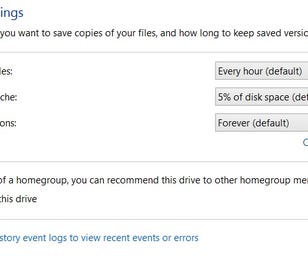
7.) Backup your important files. I cannot stress this enough. The Vista Backup and Restore Center, available through the Control Panel, makes protecting your files easy, and the free Microsoft powertoy SyncToy gives those looking to backup just selected directories no excuse. Accidental deletions, malware, hardware failure, and theft demand such precautionary measures.

John